A UI kit should make the next page easier to build. If it contains a hundred attractive components but nobody knows which button to choose or how a field behaves after an error, it has moved the uncertainty into a larger folder rather than solving it.
This Nuo Pixel Solutions starter kit takes a smaller approach. It covers a header, a primary and secondary action, a service card, an article card, a form field, a notice, and a simple content section. The goal is a coherent foundation for a service business website, with enough documentation to adapt it deliberately.
The accompanying example uses original demonstration content and a permissive reuse note for the supplied code. It does not grant rights to third-party fonts, trademarks, or images you might add later. Keep those assets and their permissions separate from the reusable interface structure.
Decide which pages the kit needs to support
Start by listing the website’s ordinary journeys. A small studio might need a homepage, service details, a portfolio, a blog listing, an article, and a contact page. These pages share a surprising number of decisions: content width, spacing, heading relationships, navigation, links, cards, and form controls.
Build for those real journeys rather than an imaginary application with every possible component. A date-range picker is not a useful first investment if the website has no task that needs one. A reliable article card and a clear contact field may provide much more value immediately.
Write down the expected content variation. Include long titles, missing images, several service descriptions, and a form error. This small content inventory helps the kit behave like a system for publishing rather than a collection of examples that only works with its own carefully balanced text.
Establish a compact set of foundations
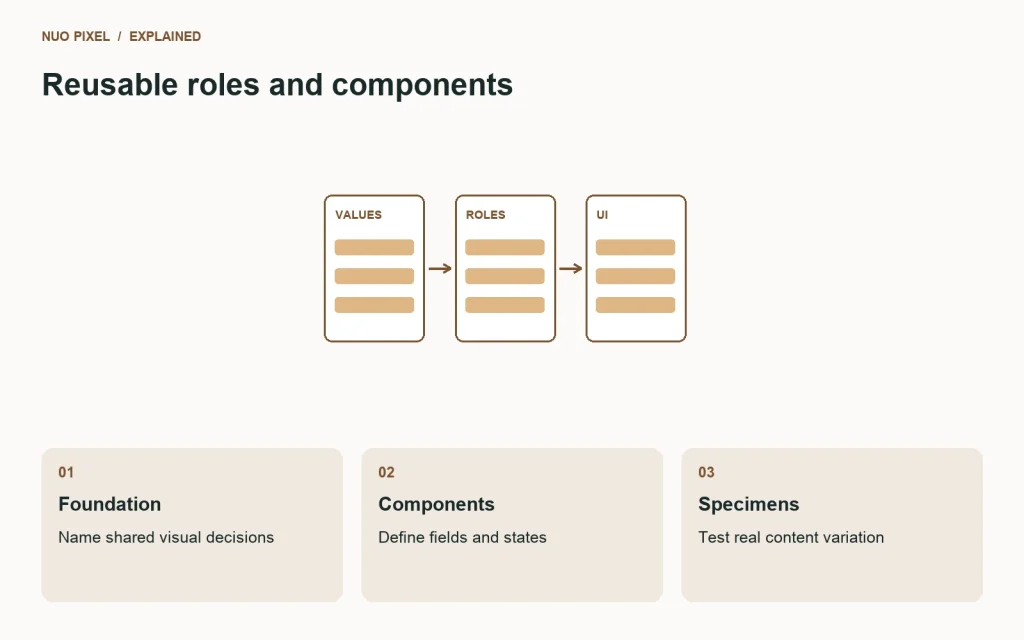
Choose roles for surfaces, text, borders, links, actions, and focus. Add a short spacing scale and a few meaningful radius values. Use relative units where they suit the layout, and define the content width around readable text rather than the largest monitor available during design.
Keep the names descriptive. A contributor should be able to recognize color-text-muted and space-section without memorizing a mood board. You may keep underlying palette values too, but the components should normally ask for a role rather than select a random swatch directly.
Avoid overengineering the first version. You do not need a universal token for every pixel. If the kit becomes difficult to read because a simple declaration is spread across several layers of indirection, simplify it. The structure should help a small team understand and change the result.
Document intentional exceptions. A hero heading may have a different scale from an article heading because the context differs. A quiet informational notice may use a distinct surface. The goal is consistent reasoning, not forcing unrelated elements to share a value simply because consistency sounds desirable.
Give the header one dependable job
The header should identify the business and help visitors reach the main destinations. Keep its logo link, navigation labels, and order consistent across the included pages. Provide an accurate current-section state instead of highlighting Home everywhere.
At narrow widths, use a real button for the menu control and expose its expanded state. Decide how the panel opens, how links remain reachable, and how a visitor closes it. A simple expanding menu is often sufficient for a small site; extra overlay behavior creates additional focus and dismissal requirements.
Include a skip link to the main content and verify it in the working example. Styling a link off-screen is not enough if activating it leaves keyboard navigation in an unexpected place. Check the complete interaction in the actual browser implementation.
For Nuo Pixel Solutions, the shared header also illustrates a practical system boundary. Different pages can have different content and specialized tools while still using the same familiar site shell. The kit should preserve that distinction instead of copying a complete page and allowing its navigation to drift independently.
Make action styles communicate hierarchy
Define a primary action for the most important next step in a section, then a quieter secondary action for an alternative. Use links for navigation and buttons for actions. Their visual styling may be related, but their HTML and behavior should match what they do.
Review default, hover, focus, disabled, and loading states where they apply. A disabled style should remain understandable without suggesting that an action succeeded. A loading state should explain what is happening rather than merely making the button unclickable.
Keep labels specific. “Discuss your project” and “View the service details” communicate different destinations. A generic “Learn more” may be acceptable in context, but a page full of identical labels becomes harder to scan and navigate outside its visual layout.
Do not use size or saturation as a substitute for deciding the hierarchy. If every action is styled as primary, the visitor receives no useful prioritization. Review each example section and ask which action deserves the strongest emphasis and why.
Build cards around their content contract
An article card needs a title and destination. It may also include an image, date, category, and excerpt. Document which parts are optional and what happens when they are absent. The kit should not reserve an unexplained blank image area if a legitimate article has no cover.
Use a consistent image ratio for listing cards, but do not apply that crop to every image in the article itself. A cover can be composed for a wide crop; an explanatory diagram may need its full frame. Distinguish the listing presentation from the reading presentation.
Let titles wrap naturally. Avoid fixing the card height around a short demonstration title. If the design aligns a reading link near the bottom, use layout behavior that distributes the remaining space rather than hiding meaningful words to force equal heights.
Check the linked area and accessible name. A clear title link is a strong foundation. If you add another reading link, include enough context to distinguish it. Do not nest buttons inside a link that wraps the whole card; that creates an unclear interaction structure.
Treat form fields as more than rectangles
A reusable field includes a label, control, optional help, and an error relationship. It also needs examples of empty, entered, focused, disabled, and invalid states when those states are supported. A blank outlined box is only one small part of the component.
Keep the visible label available while somebody types. Use appropriate input types and autocomplete hints. Explain optional fields directly. Preserve entered content after recoverable errors, and provide messages that identify the correction needed rather than displaying a vague failure code.
A kit can demonstrate the interface states without pretending to implement a production submission service. Label that limit clearly. The person adopting the kit still needs server-side validation, delivery handling, and an accurate confirmation connected to their actual backend.
Use the W3C forms tutorials as a reference during implementation review. The example should be assessed in working HTML rather than considered accessible simply because its design file contains a well-spaced label.
Make notices explain what changed
Include an informational notice, an error example, and a success example with distinct written messages. Their purpose should remain understandable without color. A success icon or green surface is not enough to communicate which action completed.
Reserve assertive announcements for situations that genuinely require interruption. A minor filter update should not constantly interrupt someone using assistive technology. Consider the importance and timing of a message before choosing how it is announced.
Keep recovery actions beside the relevant explanation. If a request failed temporarily, an appropriate retry link can help. If a field is invalid, direct the visitor to the field. Avoid a generic notice component that treats every kind of problem as the same full-width red banner.
Document whether a notice can be dismissed and what dismissal means. Hiding a warning does not resolve the underlying issue. If the visitor still needs to act, the interface should retain a sensible route to the relevant information after the notice closes.
Test the layout with awkward content
Use the supplied edge-case specimen rather than reviewing only the cleanest page. Include an unusually long heading, a card without an image, a long URL, a narrow viewport, and enlarged text. These cases expose assumptions that ordinary placeholder content tends to conceal.
Keep code blocks horizontally scrollable where needed instead of shrinking every character to fit. Let images respect their containers. Use sensible word wrapping for unpredictable strings without making ordinary paragraphs break in strange places.
Resize between familiar device widths, not just at a few preset screenshots. Watch the point where the navigation changes and where a card grid loses a column. Check that content remains in a meaningful source order even if its visual arrangement changes.
A working kit should remain understandable when styling or scripts fail partially. The essential content and links should have a useful foundation, while enhanced interactions should explain their requirements or failures rather than disappearing silently.
Package the kit for reuse
Keep the package small and organized: an introductory README, one main HTML specimen, a stylesheet, a small behavior script if required, an asset folder, and a reuse license. Include instructions that work without an elaborate build tool when the kit does not need one.
Separate original kit assets from third-party dependencies. If the example can use a system font, it becomes easier to open and inspect without external requests. If you use an external library, record its version, purpose, license, and the behavior that depends on it.
Explain the supported scope. The starter kit is for a small service website; it is not a complete ecommerce checkout, account system, or enterprise dashboard. Clear scope helps adopters make sensible decisions about what to extend and what requires a different foundation.
Keep the editable source beside the distribution files. A screenshot is useful for previewing the kit, but it is not the kit. The person using the download should be able to inspect the HTML, understand the component classes, and change a token without reconstructing the layout from an image.
Review changes as component changes
When somebody adjusts a button or card for a new page, ask whether the change belongs in the shared component. If it does, update the examples and inspect the other pages. If it is a legitimate variant, name the variant and describe its purpose.
Avoid accumulating selectors that only make sense in the order they were added. A small cleanup after a real requirement is often less work than explaining an increasingly fragile cascade. The kit should remain understandable to the next contributor, including someone who did not join the original design discussion.
Nuo Pixel Solutions can use this discipline to connect design intent with implementation. A service page, blog article, and tool page should not each reinvent the same ordinary control. Shared components let the team spend more attention on the parts of the experience that actually differ.
Decide when the starter kit has done enough
The first release is ready when it supports the defined pages, survives the content specimens, and documents its important states and limits. It does not need every possible variant before it can be useful. Add components when a real task requires them and when their behavior can be explained.
Keep a short issue list from implementation review. Prioritize a broken keyboard interaction or unreadable label over another decorative card style. The kit earns its place by helping people build dependable pages, not by producing the largest component gallery.
Try using the package to build one page that was not included in the original specimen. Notice where you have to guess. Those moments identify the next documentation or component improvement. A small kit that makes those decisions clear is a stronger starting point than a larger one whose rules exist only in its creator’s memory.
Before distributing an update, open the package in a fresh folder and follow its own README. Missing assets, undocumented paths, and assumptions about your development machine are easier to catch there than in the original working directory.
Resources for this guide
Need help applying this to a website? Discuss the project with Nuo Pixel Solutions.
Continue learning
Want a Custom Designs for Your Brand?
Let NUO PIXEL craft design that defines your brand’s identity — creative, memorable, and made to stand out.
Contact NUO PIXEL Today