A project brief often begins as scattered notes: a link to a website somebody likes, a complaint about the current form, a preferred launch date, and a list of features mentioned in different conversations. The Nuo Pixel Solutions brief builder gives those notes a useful order without pretending that the project is already fully defined.
The tool provides ten prompts and creates a plain-text download from the answers. It does not submit an inquiry, calculate a binding quote, or decide the technical architecture. It also does not save your entries automatically. Review and download the result before leaving the page if you want to keep your work.
Use ordinary language and mark unknowns. A clear question is more valuable than a guessed answer added to make the brief look complete. Keep passwords, private keys, and sensitive customer information out of the tool; the first brief should describe the project rather than carry access credentials.
Understand what happens when you use it
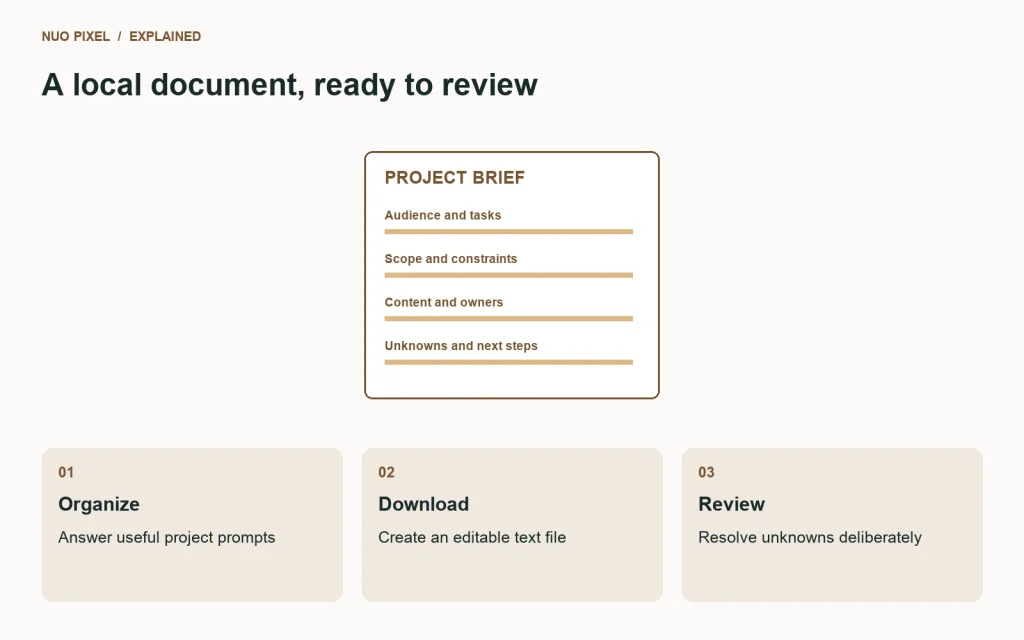
The fields remain in the page while you type. Activating the download action assembles the prompt labels and your answers into a text document, displays the text for review, and offers a local file download. Empty answers are marked as not yet specified instead of silently disappearing.
That behavior is intentionally simple. You can inspect the result, edit it in an ordinary text editor, and decide whether and how to share it. A downloaded brief is not automatically sent to Nuo Pixel Solutions or another recipient. Sharing it is a separate action under your control.
Because the tool does not autosave, a reload or closed tab can lose unfinished entries. If you are writing a long response, keep a separate draft or download an intermediate version. The interface should not imply that a website account or server copy exists when the implementation has created neither.
Begin with the organization and audience
Describe what the organization does and who the website serves. Include the context someone outside the business needs to understand the work. A few specific sentences are better than a long introduction full of broad claims about quality and innovation.
Then describe the audience in terms relevant to the task. Are visitors evaluating a service, looking for technical documents, comparing products, or trying to use a utility? What do they already know, and what information do they need before they can act?
Do not invent a detailed audience persona merely because a template makes the exercise look professional. If you have research or customer observations, identify them. If the audience description is an assumption, say so. The brief can then guide a useful discovery conversation rather than presenting speculation as established fact.
Describe visitor tasks in observable language
Write what a visitor should be able to accomplish. “Request an estimate from a phone” gives a team something to design and test. “Experience an innovative brand” may describe an aspiration, but it does not specify the interaction or information needed.
Choose a small set of important tasks rather than listing every possible action. A website can support several journeys, but the first brief should reveal which ones matter most. Priorities help the team evaluate tradeoffs when scope, time, or budget becomes constrained.
Distinguish the visitor’s task from an internal business goal. “Understand whether the service fits” and “receive more relevant inquiries” are related but different. A good project discussion connects them without reducing every visitor interaction to an unexplained conversion target.
Record current problems and evidence
Describe what happens now and why it causes difficulty. Include an example when possible. A form may clear a long message after a validation error, a navigation label may repeatedly be misunderstood, or a staff member may need to send the same file manually to every customer.
Keep observations separate from interpretations. A repeated question from customers is evidence of an information gap worth investigating; a sweeping statement that the whole website is unusable is an interpretation that still needs context.
If you have measurements, record what they actually describe and when they were collected. Do not paste a number into the brief without its definition. If you do not have analytics or test results, state the problem honestly and identify what would help establish a baseline.
Explain desired outcomes without inventing guarantees
Write what you hope the project will improve and what evidence would help evaluate it. A clearer service comparison might be reviewed through a task exercise. A more reliable form can be checked through controlled submissions and monitoring. A business outcome may require a longer observation period and additional context.
Avoid wording that assumes the website alone controls every result. Sales, inquiries, and audience growth can be affected by the offer, market, traffic sources, operations, and many other factors. The brief should describe the intended contribution rather than turn a goal into a guarantee.
For Nuo Pixel Solutions, this section is a useful place to connect design clarity and implementation reliability. The proposed result should be something the team can discuss, investigate, and test at an appropriate level, not merely an attractive sentence for a proposal cover.
List pages and tools by their purpose
Identify the main content areas and any interactive features. Explain what each needs to do. A service detail page, a long article, and an image converter may each occupy one URL while requiring very different content and behavior.
Record shared patterns. A resource collection may need categories, featured images, excerpts, downloads, and related guides. A tool may need file validation, processing status, recovery, and output verification. Naming those patterns helps the team see reusable work.
Mark optional or later-phase items clearly. An initial brief that mixes essential launch requirements with speculative future ideas can make the scope difficult to evaluate. Keeping them distinguishable does not discard the ideas; it makes the first release easier to define.
Identify content ownership and available assets
List the text, photographs, logos, documents, and examples already available. Explain whether they are approved for public use, need editing, or depend on another person’s contribution. A file existing somewhere in the organization is not the same as publication-ready content.
Name the people who can write and approve the material. Content can become a substantial project dependency, and an unnamed responsibility tends to turn into a late surprise. The brief should make that work visible without assuming the client must supply every finished word unaided.
Keep rights and permissions clear. Do not upload private client work or third-party assets into a public resource merely because they would make the design example more attractive. The first brief can identify a possible asset and the permission question without exposing the asset itself.
Describe integrations and constraints
Identify systems the website needs to work with and the information that should move between them. A CRM, mail service, existing account system, or document workflow may introduce technical and operational requirements. Explain the task before prescribing a particular implementation.
List known hosting, browser, language, or organizational constraints. If a constraint is only an assumption, label it. The team can verify it during discovery rather than building around a requirement that nobody actually established.
Do not enter credentials. A system name and the person responsible for access are enough for the first brief. Authentication details should be arranged through an appropriate separate route after the need and destination are clear. This keeps the project document useful without turning it into a collection of sensitive access material.
Put timing in the context of dependencies
Write the preferred date and explain why it matters. An event or operational change can create a real dependency; a date selected for convenience may allow more flexibility. The reason helps the team discuss a realistic plan.
Include the client’s own dependencies: content approval, asset delivery, access to systems, and availability for feedback. A schedule is not only a development estimate. It is also a plan for decisions and contributions from the people involved.
Distinguish a preference from an agreed commitment. The builder creates a brief, not a confirmed delivery contract. Its output should help the conversation become specific without implying that a date entered into a field has already been accepted by the implementation team.
Give useful budget context
If you have a range, explain what it is intended to cover. Separate the initial work from hosting, subscriptions, maintenance, and future development when those distinctions matter. A number without scope can be interpreted very differently by different people.
If you need guidance, say so. Guessing a figure to avoid leaving the field blank can obscure the real question about priorities and a proportionate scope. The tool’s plain text output leaves room for uncertainty rather than forcing a false selection.
Identify the most important outcomes if the full idea exceeds the available resources. A dependable inquiry journey or useful tool may deserve priority over a large number of decorative variations. Those priorities make an estimate discussion more concrete and constructive.
Name the decision maker and open questions
Explain who can approve content, design, and implementation decisions. Several contributors can be useful, but conflicting feedback arriving through unrelated channels can make a project difficult to assess. A clear route for consolidated feedback helps everyone understand the next step.
List unresolved questions at the end. An unknown integration, uncertain content source, or unconfirmed deadline belongs in the brief when it affects planning. A well-defined unknown is more useful than an answer that sounds confident but has no basis.
Use this section to identify what the first conversation should resolve. It might be a scope boundary, an investigation, a content plan, or a safe way to arrange access. The brief succeeds when it makes those decisions easier to discuss, not when every field appears perfectly settled.
Review the downloaded document before sharing
Open the text file and read it as someone outside the original conversation. Check whether the business, audience, task, and constraints are understandable without additional explanations. Remove accidental personal information and replace any placeholders that could be mistaken for agreed facts.
The plain-text format is deliberate. You can edit it with ordinary software and adapt it to your organization’s document process. If you convert it to another format, check that headings and answers remain together and that no content was omitted during the conversion.
Keep a dated copy of the version used for an agreed scope. Later revisions can then be discussed against a shared record. A brief can evolve; the important thing is to distinguish a new question or change from the assumptions behind an earlier decision.
Use the result to begin, not end, discovery
The builder helps organize information but does not independently verify it. A human review still needs to examine the requirements, evidence, dependencies, and tradeoffs. Do not mistake a neatly formatted download for a completed architecture or an approved proposal.
Bring the brief to Nuo Pixel Solutions or another appropriate project team with the examples and open questions that matter. Explain where you are confident and where guidance is needed. That gives the conversation a useful starting point without requiring you to solve the website before asking for help.
The most valuable output is shared understanding. Your notes have become a document somebody else can read, question, and refine with you. Once that foundation exists, scope, design, implementation, and acceptance checks can become more specific without losing sight of the original visitor task.
Check a sample answer for hidden assumptions
Imagine entering “We need a modern website by next month.” The sentence expresses a preference, but it leaves the team to guess the audience, task, scope, and reason for the date. Improve it by describing what people should be able to do, which current problem makes that difficult, and whether the date is tied to a real event or is open to discussion.
You do not need to invent technical detail to make the answer stronger. “Visitors should find the relevant service and request an estimate from a phone” gives the team something concrete to investigate. Adding “We have draft text but need help choosing examples” reveals a content dependency without pretending the material is finished.
Use the exported text to find those gaps before sharing. Read each answer and ask what someone outside the business would still need to know. A brief becomes more useful through clearer context, not through longer sentences or more specialist vocabulary.
Resources for this guide
Need help applying this to a website? Discuss the project with Nuo Pixel Solutions.