A pricing section has an unusually demanding job. It needs to summarize an offer, explain important differences, answer reasonable questions, and make the next step clear. It also needs to work for people who read by headings, use a keyboard, enlarge text, or compare options on a small screen.
This Nuo Pixel Solutions example uses fictional service plans to explore the structure. The sample prices and inclusions are demonstrations, not an offer from the studio. Replace them with approved commercial information before using the component on a real service page, and have the business owner verify every inclusion and limitation.
The companion HTML specimen provides a responsive comparison with explicit headings and meaningful labels. The guide explains the decisions around that specimen so you can adapt it without losing the relationships that make the comparison understandable.
Decide whether the offers are actually comparable
Before drawing three columns, list what a visitor needs to compare. If the options share a common service with different limits, a comparison table may be useful. If each option serves a fundamentally different problem, separate descriptions may explain the choice better than forcing unrelated features into the same grid.
For a website project, page count alone may not communicate the work involved. Content preparation, integrations, custom interactions, review rounds, and ongoing support can matter more. Describe the actual scope instead of selecting features merely because they fit neatly into a short row label.
Avoid presenting an unknown custom scope as a precise fixed price. A clearly explained estimate or consultation route may be more honest. The pricing component should help somebody understand the engagement, not manufacture certainty that the team will have to reverse in the first conversation.
Write the offer in ordinary language
Give each option a meaningful name and a short description of who it suits. A label such as “Advanced” says little without context. A sentence explaining that an option is intended for a small service site or a more involved custom workflow gives the visitor a useful starting point.
State the currency, payment period, and relevant basis of the price. If a number is monthly, make that relationship clear beside the number rather than hiding it in a footnote. If a required setup fee exists, explain it where a visitor can evaluate the complete cost.
Keep qualifications close to the statement they qualify. A feature that says “Unlimited” and later reveals a restrictive condition can create confusion even when the condition technically appears somewhere on the page. Prefer a concrete limit or a clear description of the scope.
For Nuo Pixel Solutions, any published service comparison should reflect an approved offering. The example in this resource is deliberately labeled as illustrative. An attractive component is not authorization to invent package names, prices, delivery dates, or guarantees on behalf of the business.
Choose a semantic structure
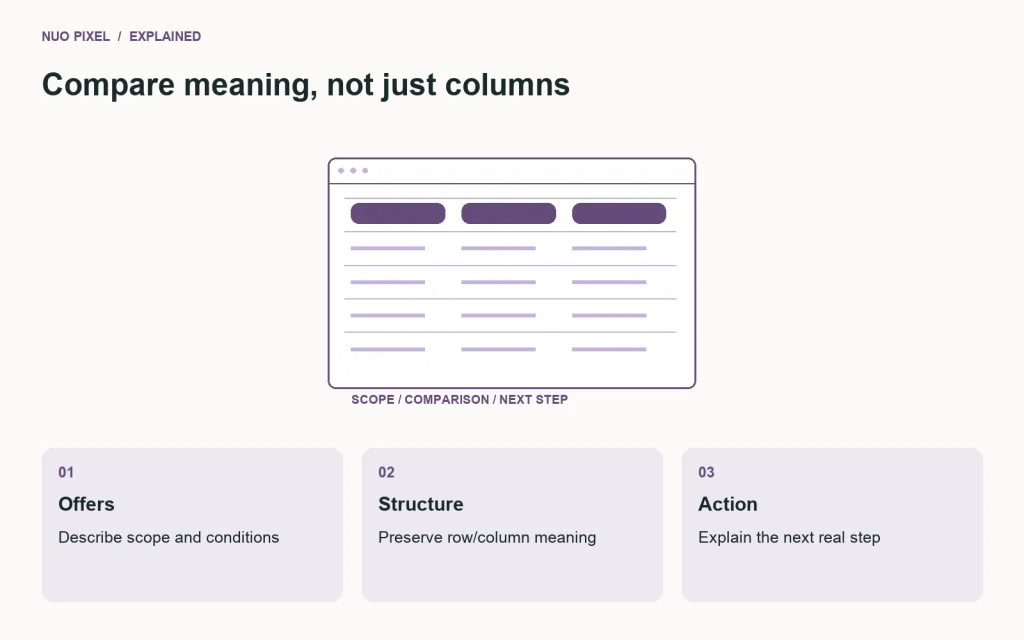
If the primary task is comparing the same attributes across plans, an HTML table can express those row and column relationships. Give it a useful caption and appropriate headers. Do not replace the table with unrelated containers solely because a desktop mockup resembles a row of cards.
If the plans are self-contained offers with relatively little shared comparison, a set of clearly headed sections can also be appropriate. The right structure depends on the information, not on a universal belief that every pricing page should use cards or every comparison should use a table.
Consult the W3C tables tutorial when implementing data relationships. Check the finished markup, including the relationships exposed to assistive technology. A screenshot showing column labels cannot establish that the underlying table has meaningful headers.
Keep a logical reading order. When the layout changes at a narrow width, the source should still make sense. Do not use visual rearrangement to create a comparison that becomes confusing when read in document order or navigated one control at a time.
Explain each feature without depending on symbols
A checkmark can reinforce an inclusion, but it should not be the only available explanation of an important difference. A cross can be ambiguous: does it mean unavailable, included at no charge, or not relevant? Provide text that communicates the intended meaning in context.
For quantities, include units and conditions. “Three review rounds” is clearer than “Reviews: 3” if the business has defined what a round means. If the concept needs explanation, provide a concise note or a nearby definition that remains accessible without a hover-only interaction.
Do not turn every cell into a tooltip. Important information should be discoverable on touch devices and through a keyboard. A long table full of unexplained abbreviations can be technically structured while remaining difficult to use. Simplify the vocabulary before adding another layer of disclosure.
Distinguish a feature that is unavailable from one that is optional or quoted separately. These are different commercial relationships. An honest comparison makes the distinction clear rather than compressing all three states into a visually tidy blank cell.
Use a highlighted plan carefully
A recommended plan should have an understandable basis. If you label an option “Popular,” make sure there is evidence for that statement. If you recommend it for a particular type of project, explain that reasoning instead of borrowing the appearance of a popularity claim.
The highlighted treatment should not make the other options unreadable or difficult to choose. A visitor may have a legitimate reason to prefer the smaller or more specialized option. Preserve clear headings, prices, and actions across all plans.
Do not rely on color alone to identify the recommendation. A written label and a meaningful description communicate the difference more reliably. Review the text and background combinations in the highlighted state rather than assuming the normal card palette still applies.
The purpose of emphasis is to clarify a useful decision, not to pressure every visitor into the same selection. If the team cannot explain why an option is highlighted, remove the badge until there is a defensible reason to include it.
Design the actions around the next real step
Use action labels that describe what happens. “Discuss this scope” may be more accurate than “Buy now” when the next step is a consultation. If selecting a plan opens a form, carry enough context into the form that the visitor does not need to explain the selection again.
Keep the selected context editable. Somebody may choose an option merely as a starting point for discussion. The form should not imply a binding purchase unless the actual workflow establishes one clearly and appropriately.
Use links for navigation and buttons for actions within the page. Check the keyboard focus order and accessible names. A row of identical “Select” controls can be harder to understand outside its visual context than labels that include or otherwise identify the relevant plan.
If a price depends on a switch, such as an annual or monthly period, make the current state explicit and update the associated explanation consistently. Do not change only the large number while leaving conflicting text or action descriptions elsewhere in the component.
Handle narrow screens without hiding the comparison
A wide table may need a horizontally scrollable region. If you choose that approach, provide enough visual context that visitors understand more columns exist, and ensure the region can be operated appropriately. Avoid clipping the final plan without any indication that it is off-screen.
An alternate stacked presentation can work when the relationships remain clear. Repeat the relevant feature labels within each plan or use another deliberate structure. Simply stacking table cells without their context can produce a series of numbers and symbols that no longer explain what is being compared.
Test with enlarged text and longer translated labels if the website supports more than one language. A component that fits only with short English labels may fail when a real offer needs a more precise description. Let the content reveal the constraints before fixing a height around the shortest specimen.
Keep the most useful differences easy to find. On a phone, a long sequence of nearly identical inclusions can obscure the few details that actually distinguish the plans. Consider a brief summary followed by a complete comparison, while keeping both descriptions consistent.
Make supporting explanations genuinely useful
A pricing FAQ should answer real uncertainties: what is included, what the client needs to provide, how changes are handled, what happens after launch, and how ongoing work is scoped. Do not fill the section with repeated promotional claims that avoid the practical questions.
If a term has a precise meaning, define it once and link to that explanation where needed. A “revision” may mean a consolidated feedback round rather than an unlimited sequence of unrelated redesigns. Clear definitions protect both the visitor and the team delivering the work.
Keep delivery dates conditional when dependencies matter. Content availability, approvals, and external integrations can affect a project schedule. Explain those dependencies without using them as a vague excuse that makes every promise impossible to evaluate.
For the sample component, the supporting notes should remain labeled as examples. Before publishing a real pricing page, replace them with language approved for the actual engagement. A reusable UI kit should not quietly become the source of commercial terms nobody has reviewed.
Test the comparison as a decision task
Ask a reviewer to choose an option for a stated scenario and explain the reason. Do not tell them which plan you expect. Listen for misunderstandings about price periods, optional work, support, and the next action. Those observations identify where the content needs clarification.
Then ask the reviewer to find a specific inclusion in another plan. This tests whether the component supports comparison rather than merely presenting three attractive offers. Repeat the task at narrow width and with keyboard navigation.
Check a scenario that does not fit any plan. The page should provide a sensible route for a custom inquiry or explain the boundary of the service. A comparison that forces every visitor into an unsuitable option can create more qualification work later.
Record findings as concrete observations. A small informal review can expose confusion, but it does not establish an uplift in revenue or conversion. Keep claims about the redesign proportional to what the testing actually showed.
Maintain the offer after the component ships
Assign an owner to the pricing content. When the service changes, update the summary, comparison, supporting notes, form context, and any downloadable version together. An accurate main number beside an outdated inclusion can still mislead a visitor.
Keep a revision record with the approved offering. This helps the team explain what was published when an inquiry arrives with an older screenshot or saved link. Avoid relying on memory for a page that can influence important expectations about scope and cost.
Nuo Pixel Solutions can use the specimen as a design and implementation starting point, then adapt it to a real approved service structure. The useful result is a comparison that is readable, operable, and honest about the next step. The strongest pricing interface makes the important questions easier to ask, not harder to notice.
Keep a plain-language version available
Try describing the comparison without its visual grid. Write a short paragraph for each offer that states who it suits, what it includes, what it excludes, and what happens after the visitor selects it. If the paragraph is difficult to write, the underlying offer may need clarification before another round of interface styling.
Use that exercise to check the table labels. A row called “Support” can conceal several different commitments. Does it mean help using the delivered website, fixing defects, making content edits, or developing new functionality? These distinctions matter to the person deciding and to the team responsible for delivery. Define the intended meaning instead of relying on a reassuring but ambiguous tick.
Finally, review the contact journey with the same language. If the pricing page calls an option a starting estimate, the next screen should not suddenly describe it as a confirmed purchase. Consistent wording across the comparison, form, and confirmation helps the visitor understand the status of the conversation and gives the business a clearer starting point for agreeing the actual scope.
Resources for this guide
Need help applying this to a website? Discuss the project with Nuo Pixel Solutions.
Continue learning
Want a Custom Designs for Your Brand?
Let NUO PIXEL craft design that defines your brand’s identity — creative, memorable, and made to stand out.
Contact NUO PIXEL Today