A website launch is easy to describe as a final upload. In practice, it is a change in responsibility. The pages become something customers rely on, the forms become a route into the business, and every broken link or outdated promise becomes visible outside the project team.
This Nuo Pixel Solutions checklist is designed for a small business that needs a useful launch process without a complicated release department. It follows the visitor’s journey from arriving on a page to understanding an offer, making contact, and receiving a truthful confirmation. It also covers the recovery work that makes a launch manageable when something unexpected happens.
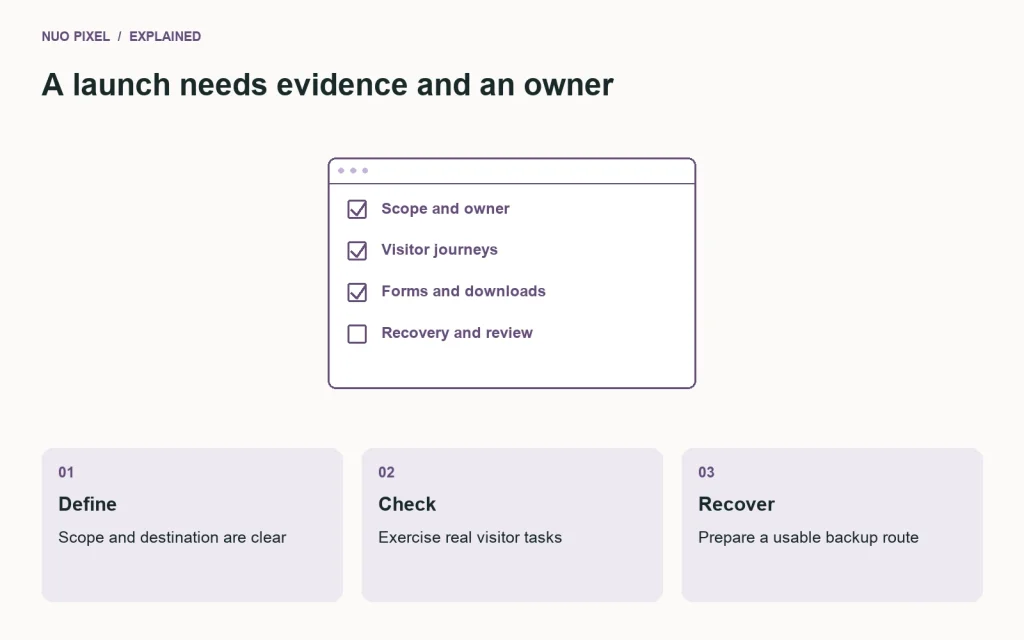
Use the downloadable checklist to assign an owner and record evidence for each item. A checked box should mean somebody verified a specific behavior. “The form is done” is not enough when nobody knows where the message goes or whether the confirmation appears after an actual delivery failure.
Decide what is launching
Write a short release description before making changes. Identify the domain, the pages involved, the tools or forms included, and the team member who can decide whether to proceed. If only the blog and a redesigned header are changing, say that. If the hosting and email configuration are also changing, give those changes their own checks.
Record the expected downtime, if any, and the recovery route. Do not assume a launch must cause an outage, but do not promise uninterrupted service without understanding the deployment method. A small, well-defined release is easier to verify than an upload containing months of unrelated edits.
Confirm the authoritative content source. When people can edit both the local copy and the live website, newer live work can be overwritten by an older local export. Freeze or coordinate the affected content for the release window, and take a fresh look at live before applying the prepared package.
Check the message before the decoration
Read the homepage as if you know nothing about the organization. It should explain who the business helps, what it offers, and where a visitor can go next. If the text requires knowledge of internal product names or unexplained abbreviations, revise it before spending time adjusting a decorative animation.
Review service pages for specific scope. A visitor should be able to distinguish a design consultation from a complete implementation, and a fixed deliverable from an open-ended engagement. Remove unsupported superlatives and promises the business cannot consistently keep. Clear limits help prospective customers make a useful inquiry.
Check names, addresses, contact details, and links to any external profiles. Verify the final text in the actual page, not only in a source document. Formatting changes, copied placeholders, and outdated contact details can survive several review rounds when everyone assumes somebody else already checked them.
For Nuo Pixel Solutions, brand consistency means more than repeating the name. The navigation, descriptions, examples, imagery, and contact route should communicate a coherent design and development practice. A page that sounds like an unrelated business can weaken that clarity even if its logo is correct.
Follow the navigation on real pages
Open the homepage, an ordinary content page, an article, a tool, and the contact page. The header should provide the same familiar identity and destinations. Mark the current section correctly, and verify that the logo returns to the intended home address.
Test the mobile menu with touch and keyboard input. Confirm that it opens, exposes all links, and can be closed. Increase the text size and check whether the menu remains usable when the labels wrap. A menu that only fits at the designer’s default viewport is not a finished navigation system.
Follow footer links, related-reading links, and calls to action. Do not stop after the primary navigation passes. A broken call to action at the bottom of a long service page can block the visitor who has already invested the most time in understanding the offer.
Open a deliberately invalid address and check the not-found page. It should explain the situation and offer a useful route back into the site. Make sure it returns the appropriate response rather than silently presenting the homepage as though the requested page existed.
Submit the forms safely
Use a controlled test message and confirm its destination. Check required fields, optional fields, validation, and successful submission. Preserve entered text after an error so a visitor does not have to reconstruct a detailed inquiry because one field needs correction.
Test a delivery failure as well as a validation failure. A message rejected by the server should not produce the same confirmation as a successfully accepted request. If the workflow uses an external mail service, verify the relevant configuration in the live environment rather than assuming that a local test proves delivery from the hosting account.
Review the confirmation wording. State what happened and what the visitor can expect. Only promise a reply timeframe the team can meet. If there is an alternative contact route, keep it visible and accurate instead of hiding it exclusively inside an error message.
Consider the information collected. Ask only for what the team needs at this stage, and make the purpose understandable. A project inquiry form should help a person begin a conversation; it should not demand a complete technical specification from someone who is seeking help defining the project.
Review reading and accessibility
Inspect the page headings in order. They should describe the content’s organization, not serve merely as a way to select different font sizes. Check that the main content can be reached without repeatedly tabbing through the same navigation on every page.
Move through interactive elements using a keyboard. You should be able to see where focus is, identify what a control does, and activate it without relying on a pointer. Check modal dialogs, expandable sections, and custom controls in addition to ordinary links and buttons.
Review image alternatives in context. A decorative image may need an empty alternative, while a linked logo or informative diagram needs an appropriate explanation. Do not use the alt attribute as a place to repeat marketing keywords. For complex visual instructions, keep the essential explanation in nearby text.
Check text and interface colors together, including focused, selected, error, and disabled states. A color pair approved in a palette document may be used differently in the final page. The W3C accessibility tutorials provide useful starting points, but a short launch check is not a substitute for a complete accessibility evaluation when one is required.
Inspect the images and downloads
Open each major image at its intended display size. Check cropping, sharpness, and whether an important detail has been cut off. Confirm that the page reserves sensible space while images load, especially near links and controls that visitors may try to activate immediately.
Check the actual downloaded files. A button labeled as a PDF should deliver the intended document, not an older draft or an HTML error page. A ZIP should contain the files promised by the article, with understandable names and a short explanation of how to use them.
Keep original and editable assets outside accidental public routes. A published download can be intentional, but a database export, configuration backup, or private client source file should not become downloadable simply because it sits beside a website entry point.
For browser tools, test a normal input, an unsupported input, and a demanding input near the intended limit. Explain restrictions near the tool. A visitor should not need to discover the supported formats by repeatedly triggering vague errors.
Check the technical destination
Confirm the canonical domain and HTTPS behavior. Follow a link using the alternate hostname and verify that it reaches the intended destination without an unnecessary loop. Check that internal links and media references do not still point to localhost or a staging domain.
Review page titles and descriptions in the final output. They should accurately identify the page rather than copying one generic description across the whole website. Check the site map and indexing configuration for the live environment, and verify that development settings have not accidentally prevented the public pages from being discovered.
If addresses changed, prepare and test redirects from the relevant old URLs. Keep the mapping deliberate. Redirecting every missing page to the homepage can conceal broken paths while failing to help visitors find the information they expected.
Verify the hosting runtime and required components. A local page working with one PHP version does not establish compatibility with the version configured in cPanel. Check the active theme, parent theme, plugins, file permissions, and media paths on the actual destination before publishing the prepared release.
Look at performance as a visitor experiences it
Load representative pages on a phone and a constrained connection. Observe when the main content appears, whether the layout moves unexpectedly, and whether controls respond clearly. A single desktop screenshot cannot reveal these behaviors.
Review prominent images and third-party scripts first when the page feels slow. Make sure a large article cover is not delayed unnecessarily, and question scripts whose purpose nobody can explain. Keep evidence from the test conditions rather than describing an unmeasured impression as a percentage improvement.
Check a listing with enough entries to require pagination. Confirm that later pages are reachable and do not repeat or omit content. A blog with three attractive sample cards can behave quite differently after a full collection is published.
Keep the distinction between local and production measurements explicit. Local rehearsals are valuable for detecting problems, but a loopback request does not represent a visitor using a mobile network. Record what each test can establish and what still needs checking after the live release.
Prepare a recovery you can actually perform
Take a current backup of the files and database involved. Store it somewhere the release process will not overwrite. Confirm that the person responsible for recovery can access it even if the website itself is unavailable.
Document how to restore the previous theme files and affected content. A full database restoration may erase newer inquiries or other live activity, so do not treat it as a harmless undo button after the site has received new data. Prefer a targeted recovery when the circumstances allow it.
Review the prepared release against the current live state immediately before applying it. If somebody has edited an affected page since the preview, stop and reconcile the change. A stale preview is no longer a reliable description of what the publish action will replace.
Assign a short observation period after publication. Someone should verify the main journeys while the release context is still fresh. The person does not need to stare at a dashboard indefinitely; they need a specific set of checks and a clear route to report a problem.
Make the launch decision explicit
Collect unresolved issues in one place. Separate a cosmetic detail from a broken form, inaccessible primary navigation, incorrect pricing, or an exposed private file. Decide which issues prevent launch and which have an owner and a reasonable follow-up date. Do not hide an important failure inside a long list of minor polish tasks.
Record who reviewed the release, which environment was checked, and which version was published. That record can be short. Its purpose is to make the state understandable when somebody returns to the project later, not to create paperwork nobody will read.
For Nuo Pixel Solutions, the useful launch deliverable is a website that people can use and a process the team can repeat. Attractive pages are part of that result, but the contact journey, recovery route, and ordinary maintenance responsibilities matter just as much once the website becomes part of the business.
The first maintenance task starts immediately
After the initial checks pass, create a simple follow-up list. Note the next backup verification, the owner of form delivery checks, the date to review time-sensitive content, and the person who receives hosting or certificate notices. Avoid a gap where everybody assumes the project team still handles work that has quietly become the business owner’s responsibility.
Keep the checklist with the project rather than treating it as a one-time launch souvenir. Reuse the relevant sections when you add a new tool, change a form, or publish a substantial group of articles. A smaller release still deserves checks proportionate to what it can affect.
The final question is straightforward: can a visitor understand the offer, move through the website, complete the intended action, and receive an honest result? If you can demonstrate that journey and recover from a failed release, you have a much stronger basis for launching than a collection of screenshots marked approved.
Resources for this guide
Need help applying this to a website? Discuss the project with Nuo Pixel Solutions.
Continue learning
Want a Custom Designs for Your Brand?
Let NUO PIXEL craft design that defines your brand’s identity — creative, memorable, and made to stand out.
Contact NUO PIXEL Today