A browser image tool can process a file locally while the surrounding page still makes network requests. Those two facts are compatible. Confusion begins when “the conversion happens in your browser” becomes a much broader claim that the page never communicates with anything else.
This Nuo Pixel Solutions guide examines the distinction using the image utilities in this WordPress project. It describes a source review of the file-handling paths and gives a repeatable browser verification method. It does not claim that a source search is a complete security audit or that every live plugin, script, and future release has been independently assessed.
The useful privacy question is specific: which information moves, through which operation, to which destination? Answering that question requires tracing the selected file, the preview, the processing step, the output, and the page’s other dependencies separately. A reassuring sentence beside a file picker cannot replace that work.
Draw the data path before writing the claim
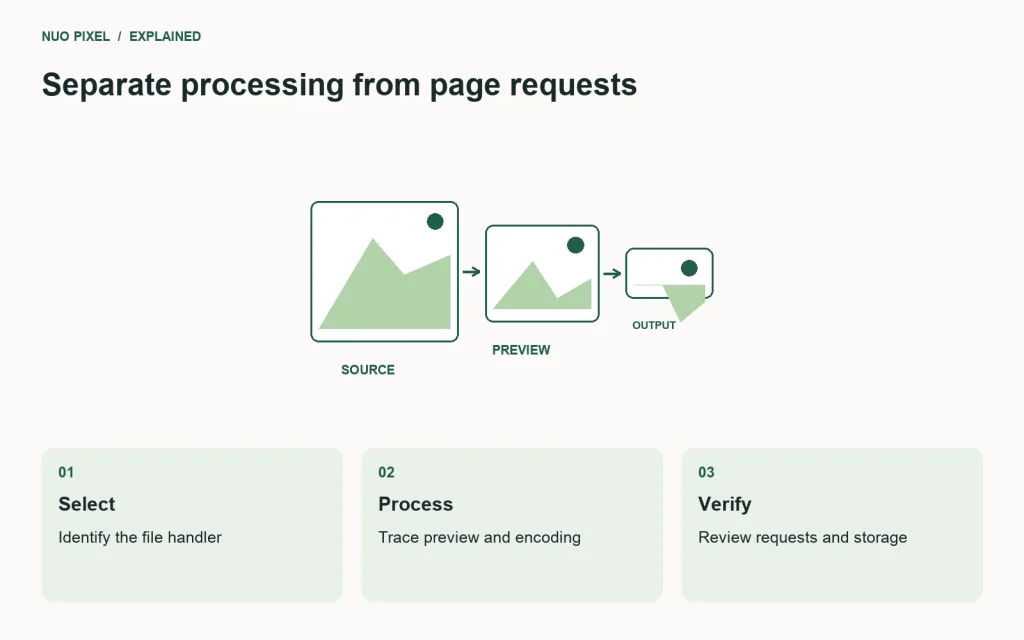
Begin with the visitor’s file selection. Identify the control that receives the file and the handler that runs afterward. Follow the object into any preview, canvas, worker, encoding function, archive builder, and download. Record where the bytes remain in browser memory and where a network operation would occur if one exists.
Distinguish the selected file from information about the visit. The page may request stylesheets, fonts, libraries, analytics, or other services without uploading the image. Those requests can still be relevant to a privacy description, but they should not be mislabeled as proof that the photograph itself was sent.
Also distinguish a temporary browser reference from a public URL. An object URL created for a selected file is not automatically an upload endpoint. Its existence says something about how the browser can reference a local object; it does not by itself establish where every later operation sends data.
What the reviewed converter code does
The JPG/PNG-to-WebP tool’s reviewed handler stores the selected File objects in a local collection, creates object URLs for previews, and uses a canvas conversion path to create output blobs. The download links are assigned object URLs for those blobs. These are concrete observations about the inspected implementation.
The same template includes an external archive-building library for batch downloads. The shared website shell also has external styling and font dependencies. The presence of these dependencies means the complete page should not be described as making no network requests merely because its conversion handler does not contain an image-upload request.
The color finder reads a selected file through FileReader, decodes it as an image, and draws it to a canvas for pixel processing. Its reviewed export paths create local downloadable data. The source also scales large inputs for the extraction operation, which can affect the palette returned from the original image.
The SVG converter reads selected text, creates an SVG blob for decoding, draws the result to a canvas, and produces a raster output blob. Its template includes external JavaScript dependencies. A careful statement describes those observed paths and their scope instead of converting them into a blanket assurance about every script on the page.
Understand what a source review can establish
A focused source review can identify the intended operations and obvious request calls in the inspected code. It can reveal that a selected file is handed to a local processing function, or that an upload endpoint is called. It can also identify dependencies that need separate consideration.
A text search for fetch is not a complete audit. Requests can be made through different APIs, libraries, forms, workers, or code loaded elsewhere. Runtime behavior can differ according to configuration, user actions, plugins, and updates. Treat a source search as a starting point that helps guide the next checks.
Record the file versions or release being reviewed. A statement about the current handler should not silently apply to a future implementation. Keep the audit note with the release so a later contributor can identify which assumptions need rechecking when the tool changes.
Do not publish a stronger claim than the evidence supports. “The reviewed conversion handler processes the selected image using browser APIs” is narrower than “Your files can never leave this device.” The latter would require a much broader basis, including the surrounding page and the conditions under which it runs.
Verify the behavior in browser network tools
Use a non-sensitive test image you are permitted to share for the experiment. Open the browser’s network inspection before interacting with the tool, clear the existing entries, and note the initial page requests separately from requests triggered by file selection and conversion.
Select the image, wait for the preview, run the conversion, and download the result. Look for requests that occur during those actions. Inspect their destination, method, content type, and payload where the browser makes that information available. Do not assume that every request made at the same time contains the selected image.
Repeat with a fresh page and the relevant cache conditions recorded. A cached library may not be fetched again in one run, while a first visit requests it. The absence of a visible network fetch in a warm run does not mean the dependency is no longer part of the page.
If you export a network log for review, remember that such logs can contain information unrelated to the test image, including request details or session-related data. Use an appropriate controlled environment and review the export before sharing it. The audit process should not create an unnecessary disclosure while investigating another one.
Test a failed or interrupted connection
After the page and required libraries have loaded, interrupt the connection and repeat the intended processing operation. If it continues to work, that supports a narrow observation about that loaded state. It does not prove that the complete site is available on a first offline visit.
Try the initial page with an empty cache and no connection separately. A missing external library can affect archive downloads or another feature even when the core image decoding is local. Explain that dependency rather than describing the failure as a contradiction of every local-processing claim.
Check error messages. A tool should distinguish an unsupported file, a decoding failure, an unavailable dependency, and a download problem where the implementation can identify the difference. A vague “Upload failed” message is especially confusing if the intended process never uploads the file at all.
Use the same non-sensitive specimens for repeated checks. Keeping the inputs stable makes it easier to compare behavior after a library or template change. Add a case when a real issue reveals a gap rather than accumulating a large set that nobody can review sensibly.
Review temporary resources and memory
Object URLs and decoded image buffers have a lifecycle. Replacing a preview or processing many files can retain resources if the implementation never releases them. This is a reliability concern as well as a useful part of understanding where the data remains during the task.
MDN’s object URL reference explains the API and its cleanup relationship. Review both successful and failed paths. Releasing a reference after a successful load does not automatically cover a failed decode, a replaced preview, or a component removed before completion.
Large image dimensions can use substantial working memory even when the compressed file is modest. Set realistic limits, explain them before an expensive operation, and test on a device representative of the audience. A desktop-only success does not establish that a large batch will remain usable on a phone.
Clear controls should have accurate behavior. Removing a preview from the interface is not necessarily the same as immediately eliminating every related buffer from memory. Describe the product behavior honestly and avoid presenting a visual reset as a forensic guarantee about the device.
Keep local output separate from persistent storage
A generated download lets the visitor save a result through the browser. That is different from saving the file in a website account or on the hosting server. The interface should make the destination and action understandable instead of using the same word for every kind of storage.
If a tool uses localStorage or another persistent browser store, identify what it saves and why. A settings preference is different from retaining an image or a project brief. Do not introduce persistence casually merely because it makes a demonstration convenient.
The companion workbenches in this collection state their behavior explicitly. The brief builder creates a local text download without submitting the entries. The launch checklist stores its checkbox states in the browser when storage is available. These are different data paths and deserve different explanations.
Provide a reset route for stored state when appropriate. Make sure it removes only the tool’s own data rather than clearing unrelated browser storage. A useful privacy control should be specific and predictable, not a broad operation whose consequences are difficult for the visitor to understand.
Examine the page around the tool
A WordPress tool page inherits its header, footer, theme scripts, plugins, and potentially hosting-level behavior. Review the complete delivered page rather than only the code inside the tool’s conversion function. A focused component can still be surrounded by dependencies that affect the network and execution environment.
List external resources by purpose. Identify which support layout, icons, fonts, archives, measurement, or another feature. Consider whether the dependency is necessary and whether it should be delivered differently, but do not make changes without checking the behavior it supports.
Keep the review proportional and specific. The presence of an external font request is not proof of image exfiltration. Equally, the absence of an explicit upload function in one template is not proof that every code path on the complete page is incapable of transmitting selected data.
For Nuo Pixel Solutions, the practical value is a description the team can maintain. A precise explanation of the tool’s local processing and page dependencies can be updated when the implementation changes. A sweeping promise is much harder to defend and easier to make inaccurate accidentally.
Write a privacy explanation readers can use
Explain the processing path in ordinary language. State whether the selected file is processed locally by the reviewed implementation, whether a server upload is part of the feature, and which surrounding dependencies are relevant. Keep important limits close to the claim rather than burying them beneath a promotional headline.
Avoid turning a technical explanation into a legal guarantee. A short article can describe observed behavior and verification steps without claiming to establish every compliance requirement for every user or organization. Sensitive business workflows may need their own review before adopting any online tool.
Give cautious users a practical option: inspect the code and network behavior with a harmless sample, use a controlled environment, or choose an approved offline workflow for material their organization does not permit in a web page. These are ordinary workflow choices, not an invitation to assume the worst about an untested implementation.
Keep the audit alive after publication
Revisit the note when the processing path, external dependencies, plugin configuration, or storage behavior changes. Record the release and the checks performed. A privacy explanation that once matched the code can become outdated even when the page’s visual design remains unchanged.
The most useful outcome is traceability. A reader can understand the difference between local processing and page requests, a developer can identify which code supports the explanation, and a reviewer can repeat the important checks. That is a stronger foundation for trust than asking somebody to accept an absolute claim without showing how it was established.
Make the audit note useful to the next maintainer
Keep the inspected handler names, dependency list, release date, and test procedure together. Record whether the browser test covered an initial visit, a warm page, an offline operation, and the actual download. If a step was not performed, leave it marked as pending rather than allowing an empty field to look like a passed check.
When the implementation changes, begin with that note and ask which assumptions are affected. A new library, storage feature, or export destination may require a focused repeat of the relevant checks. This turns the explanation into a maintainable record instead of a one-time reassurance that slowly drifts away from the code.
Resources for this guide
Need help applying this to a website? Discuss the project with Nuo Pixel Solutions.
Continue learning
Want a Custom Designs for Your Brand?
Let NUO PIXEL craft design that defines your brand’s identity — creative, memorable, and made to stand out.
Contact NUO PIXEL Today