A polished screen is a starting point for implementation, not a complete specification. Developers also need to know how content changes, which states exist, what happens at narrow widths, and which elements belong to a shared component.
A useful handoff makes those decisions visible without forcing somebody to inspect hundreds of layers. Organize it around components and behavior so the design remains understandable after the first implementation.
Describe a component’s contract
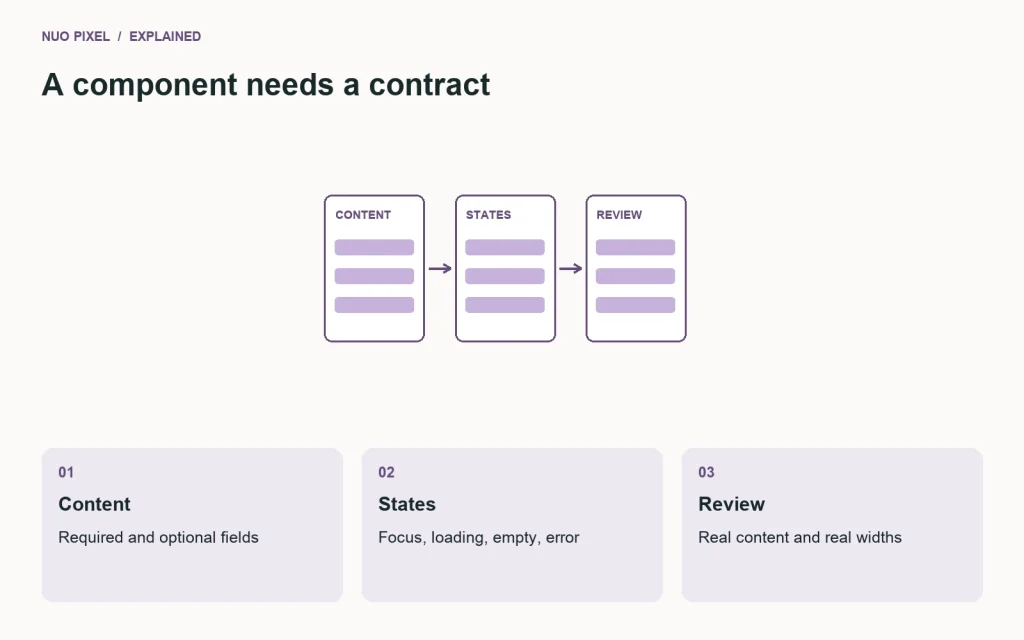
For a card, document its required fields, optional fields, image treatment, and link destination. State whether the whole card is clickable or only its title. Include a long title and a missing-image example. These details prevent the implementation from working only with the exact sample content shown in the design.
Connect the component to shared tokens for text, borders, spacing, and radius. If the implementation uses CSS custom properties, MDN’s guide explains how those reusable values behave. The token names in your design and code should be easy to match even if your tools store them differently.
Specify the states people will encounter
A button needs more than a default and hover screenshot. Consider focus, disabled, loading, success, and error where they apply. A search page needs results, no results, a pending request, and a failed request. Explain what stays on screen while the state changes.
Use short behavior notes. “Keep the entered query when retrying a failed search” is more helpful than “Make the error experience intuitive.” Attach each note to the relevant component or flow rather than hiding it in a general project document.
Deliver assets with context
Provide the approved logo variants, icon sources, image dimensions, and usage notes. Clarify whether an image is decorative, informative, or linked. Include the text alternative where it conveys content. Confirm that your team has permission to use supplied assets before they enter the production build.
Record intended crop positions for photographs. A centered crop can cut a face or important product detail even when the source image is technically large enough.
Review the working page together
Inspect the implementation using actual content and real browser widths. Check keyboard focus, text enlargement, form errors, and images that load slowly. Keep a short list of differences, with the expected behavior and a screenshot when useful.
Treat changes discovered during implementation as updates to the shared component, not isolated fixes that silently create a new variant. The next page should benefit from what the team learned.
Try this: select one component currently in development and write its required content, optional content, states, responsive rules, and acceptance checks on a single page. Ask a developer which decisions remain ambiguous, then improve that page before documenting the rest of the system.
Continue learning
Want a Custom Designs for Your Brand?
Let NUO PIXEL craft design that defines your brand’s identity — creative, memorable, and made to stand out.
Contact NUO PIXEL Today